

Guida · API REST
Stampa unione: un PDF per destinatario
La stampa unione di Word produce un unico documento lungo. Una chiamata API produce un documento: iteri sui destinatari, invii lo stesso template con i valori di ogni record e assegni a ogni PDF un nome file univoco. Lettere, attestati, buste paga, fatture.
Dove la stampa unione di Word si ferma
- La stampa unione scrive un solo file per tutti i record; dividerlo in PDF singoli richiede macro o lavoro manuale.
- Richiede Word su una postazione e una persona che la avvii, quindi non può vivere in un flusso di lavoro o in un job notturno.
- Allegati, nomi file e archiviazione per destinatario sono fuori dalla portata della stampa unione.
La richiesta
Una richiesta per record: il ciclo costruisce una busta fields da ogni destinatario e la invia con il template. Il servizio è senza stato, le richieste possono girare in parallelo; il nome del file lo sceglie Lei.
TOKEN=$(curl -sS https://auth.xgenerate.io/realms/xgenerate/protocol/openid-connect/token \
  -d grant_type=client_credentials \
  -d client_id="$XGENERATE_CLIENT_ID" \
  -d client_secret="$XGENERATE_CLIENT_SECRET" | jq -r .access_token)

# recipients.json holds one object per letter:
# [ { "name": "Camille Durand", "street": "12 rue de la République", "city": "69002 Lyon" }, ... ]

index=0
jq -c '.[]' recipients.json | while IFS= read -r r; do
  index=$((index + 1))
  jq -n --argjson r "$r" '{ fields: [
      { name: "recipient.name",   value: $r.name },
      { name: "recipient.street", value: $r.street },
      { name: "recipient.city",   value: $r.city } ] }' > fields.json
  out="letter-$index.pdf"
  curl -sS https://api.xgenerate.io/v2/documents/generate \
    -H "Authorization: Bearer $TOKEN" \
    -F "file=@letter.docx" \
    -F "fields=@fields.json;type=application/json" \
    -F "format=PDF" \
    -o "$out"
done
Da .NET
using System.Net.Http.Json;

using var http = new HttpClient();
http.DefaultRequestHeaders.Authorization = new("Bearer", token);

var template = Convert.ToBase64String(await File.ReadAllBytesAsync("letter.docx"));
var recipients = new[]
{
    new { Name = "Camille Durand", Street = "12 rue de la République", City = "69002 Lyon" },
    new { Name = "Jonas Keller",   Street = "Bahnhofstrasse 10",       City = "8001 Zürich" }
};

// One request per recipient; the service is stateless, so run them in parallel if you like.
for (var index = 0; index < recipients.Length; index++)
{
    var r = recipients[index];
    var request = new
    {
        filename = "letter.docx",
        content = template,
        format = "PDF",
        fields = new
        {
            fields = new[]
            {
                new { name = "recipient.name", value = r.Name },
                new { name = "recipient.street", value = r.Street },
                new { name = "recipient.city", value = r.City }
            }
        }
    };
    var response = await http.PostAsJsonAsync(
        "https://api.xgenerate.io/v2/documents/generate", request);
    response.EnsureSuccessStatusCode();

    var result = await response.Content.ReadFromJsonAsync<GenerateResult>();
    var file = $"letter-{index + 1}.pdf";
    await File.WriteAllBytesAsync(file, Convert.FromBase64String(result!.Content));
}

record GenerateResult(string Filename, string Content, string Format);
La risposta
Ogni chiamata restituisce un PDF come byte grezzi sul trasporto multipart, oppure filename, content, format e warnings sul trasporto JSON. Gli avvisi indicano gli slot immagine, QR e intestazione senza valore; i campi unione e le regioni senza dati vengono rimossi senza avviso.
Il risultato
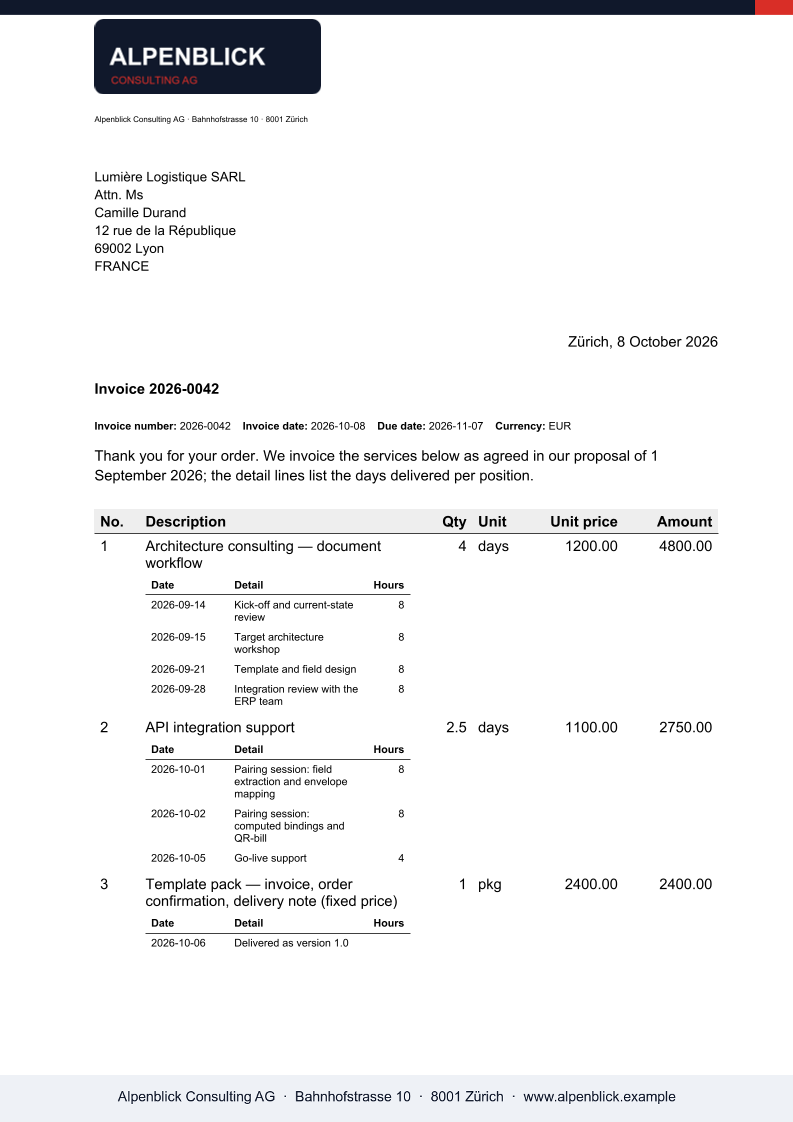
Cosa XGenerate non fa
Non esiste un endpoint batch: una richiesta per documento, guidata dal Suo ciclo o dalla Sua coda. La sezione pagamento QR svizzera esiste solo in PDF.
Lo provi sul Suo template
Ci invii un file Word che usa oggi. Lo renderizziamo con i Suoi dati e Le restituiamo il PDF insieme al template adattato, così la Sua valutazione non deve aspettare noi.
Richiedi una demo