

Guide · REST API
Mail merge to one PDF per recipient
Word's mail merge produces one long document. An API call produces one document: loop over your recipients, send the same template with each record's values, and give every PDF a unique filename. Letters, certificates, payslips, invoices.
Where Word's mail merge stops
- Mail merge writes one file for all records; splitting it into individual PDFs needs macros or manual work.
- It needs Word on a desk and a person to run it, so it cannot sit inside a workflow or a nightly job.
- Per-recipient attachments, file names and archiving are outside what mail merge can do.
The request
One request per record: the loop builds a fields envelope from each recipient and posts it with the template. The service is stateless, so requests may run in parallel; the file name is yours to choose.
TOKEN=$(curl -sS https://auth.xgenerate.io/realms/xgenerate/protocol/openid-connect/token \
  -d grant_type=client_credentials \
  -d client_id="$XGENERATE_CLIENT_ID" \
  -d client_secret="$XGENERATE_CLIENT_SECRET" | jq -r .access_token)

# recipients.json holds one object per letter:
# [ { "name": "Camille Durand", "street": "12 rue de la République", "city": "69002 Lyon" }, ... ]

index=0
jq -c '.[]' recipients.json | while IFS= read -r r; do
  index=$((index + 1))
  jq -n --argjson r "$r" '{ fields: [
      { name: "recipient.name",   value: $r.name },
      { name: "recipient.street", value: $r.street },
      { name: "recipient.city",   value: $r.city } ] }' > fields.json
  out="letter-$index.pdf"
  curl -sS https://api.xgenerate.io/v2/documents/generate \
    -H "Authorization: Bearer $TOKEN" \
    -F "file=@letter.docx" \
    -F "fields=@fields.json;type=application/json" \
    -F "format=PDF" \
    -o "$out"
done
From .NET
using System.Net.Http.Json;

using var http = new HttpClient();
http.DefaultRequestHeaders.Authorization = new("Bearer", token);

var template = Convert.ToBase64String(await File.ReadAllBytesAsync("letter.docx"));
var recipients = new[]
{
    new { Name = "Camille Durand", Street = "12 rue de la République", City = "69002 Lyon" },
    new { Name = "Jonas Keller",   Street = "Bahnhofstrasse 10",       City = "8001 Zürich" }
};

// One request per recipient; the service is stateless, so run them in parallel if you like.
for (var index = 0; index < recipients.Length; index++)
{
    var r = recipients[index];
    var request = new
    {
        filename = "letter.docx",
        content = template,
        format = "PDF",
        fields = new
        {
            fields = new[]
            {
                new { name = "recipient.name", value = r.Name },
                new { name = "recipient.street", value = r.Street },
                new { name = "recipient.city", value = r.City }
            }
        }
    };
    var response = await http.PostAsJsonAsync(
        "https://api.xgenerate.io/v2/documents/generate", request);
    response.EnsureSuccessStatusCode();

    var result = await response.Content.ReadFromJsonAsync<GenerateResult>();
    var file = $"letter-{index + 1}.pdf";
    await File.WriteAllBytesAsync(file, Convert.FromBase64String(result!.Content));
}

record GenerateResult(string Filename, string Content, string Format);
The response
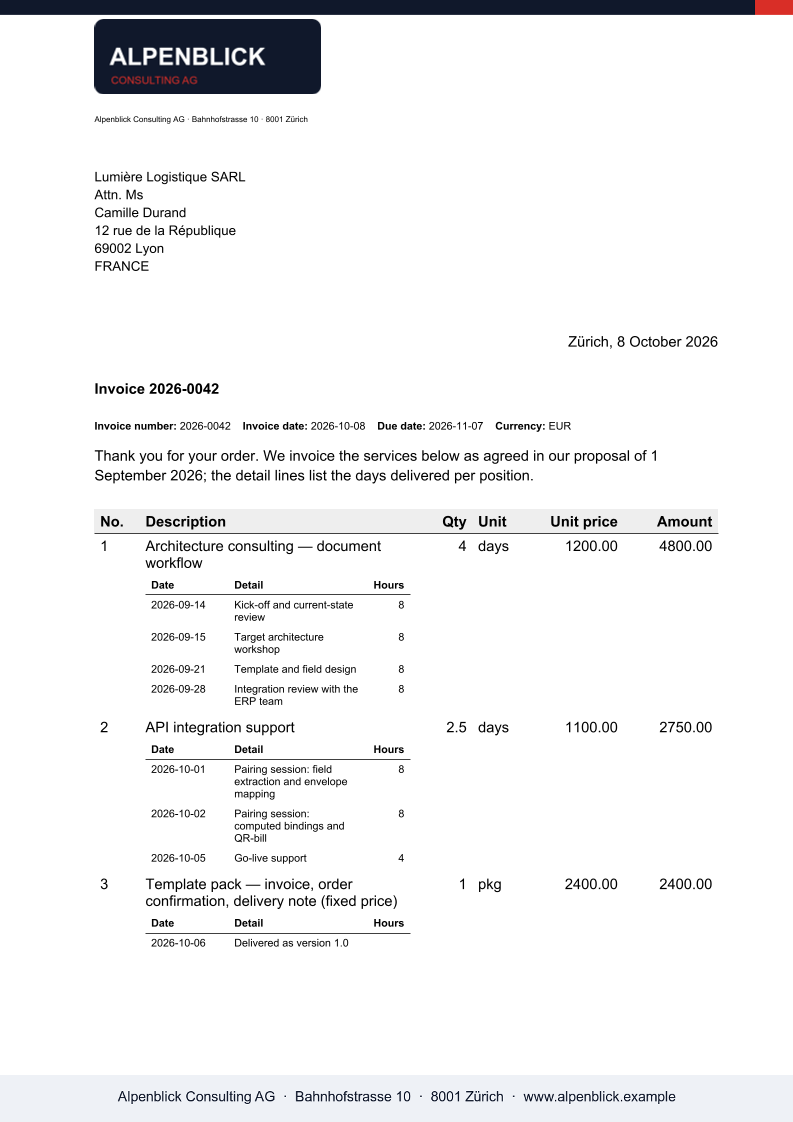
Each call streams one PDF back on the multipart transport, or returns filename, content, format and warnings on the JSON transport. Warnings name image, QR and letterhead slots without a value; merge fields and regions without data are removed without a warning.
The output
What XGenerate does not do
There is no batch endpoint: one request per document, driven by your loop or queue. The Swiss QR-bill slip is PDF-only.
Try it on your own template
Send us a Word file you use today. We render it with your data and return the PDF together with the adapted template, so your evaluation does not have to wait on us.
Request a demo