

Guide · REST API
Generate a PDF from JSON and a Word template
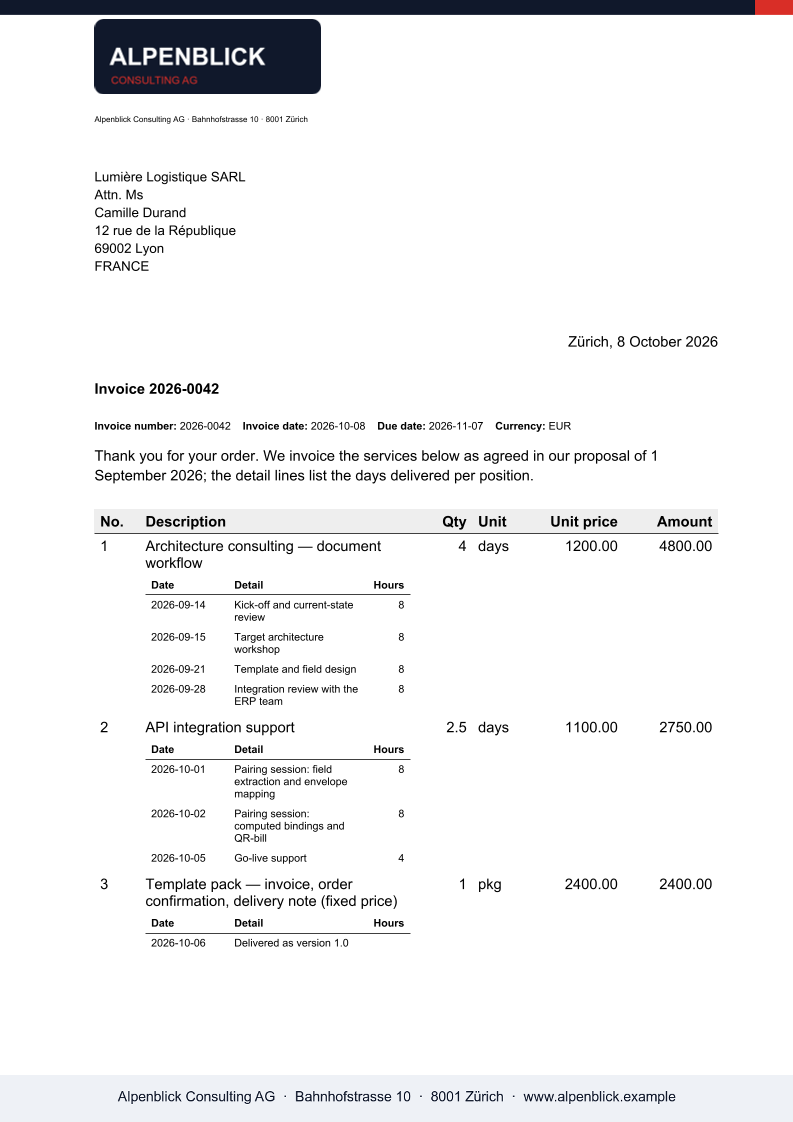
Your data is JSON, the layout is a Word template with standard merge fields. One call fills the fields, expands the repeating tables, places the images and returns the finished PDF or DOCX.
Why not build the PDF in code
- A PDF library makes the layout a programming task; the people who own the document cannot change it.
- Mail merge needs Word on a desk and produces one file per run, not one per record from an API.
- Every template format with its own syntax means retraining and locked-in templates.
The request
The data travels as a fields envelope: scalar fields as name/value pairs, repeating regions under lists, each row with its own fields. The names match the MERGEFIELD codes and the TableStart marker in the template.
TOKEN=$(curl -sS https://auth.xgenerate.io/realms/xgenerate/protocol/openid-connect/token \
  -d grant_type=client_credentials \
  -d client_id="$XGENERATE_CLIENT_ID" \
  -d client_secret="$XGENERATE_CLIENT_SECRET" | jq -r .access_token)

cat > fields.json <<'JSON'
{
  "fields": [
    { "name": "recipient.name", "value": "Camille Durand" },
    { "name": "invoice.number", "value": "2026-0042" },
    { "name": "invoice.date",   "value": "25.10.2026" }
  ],
  "lists": [
    { "name": "invoice.lines", "value": [
      { "fields": [ { "name": "description", "value": "Consulting, October" },
                    { "name": "amount",      "value": "CHF 4'800.00" } ] },
      { "fields": [ { "name": "description", "value": "Travel expenses" },
                    { "name": "amount",      "value": "CHF 312.40" } ] }
    ] }
  ]
}
JSON

# The Word template carries MERGEFIELD placeholders and a TableStart:invoice.lines region.
curl -sS https://api.xgenerate.io/v2/documents/generate \
  -H "Authorization: Bearer $TOKEN" \
  -F "file=@invoice.docx" \
  -F "fields=@fields.json;type=application/json" \
  -F "format=PDF" \
  -o invoice.pdf
From .NET
using System.Net.Http.Json;

using var http = new HttpClient();
http.DefaultRequestHeaders.Authorization = new("Bearer", token);

var request = new
{
    filename = "invoice.docx",
    content = Convert.ToBase64String(await File.ReadAllBytesAsync("invoice.docx")),
    format = "PDF",
    fields = new
    {
        fields = new[]
        {
            new { name = "recipient.name", value = "Camille Durand" },
            new { name = "invoice.number", value = "2026-0042" }
        },
        lists = new[]
        {
            new
            {
                name = "invoice.lines",
                value = new[]
                {
                    new
                    {
                        fields = new[]
                        {
                            new { name = "description", value = "Consulting, October" },
                            new { name = "amount", value = "CHF 4'800.00" }
                        }
                    }
                }
            }
        }
    }
};
var response = await http.PostAsJsonAsync(
    "https://api.xgenerate.io/v2/documents/generate", request);
response.EnsureSuccessStatusCode();

var result = await response.Content.ReadFromJsonAsync<GenerateResult>();
await File.WriteAllBytesAsync(result!.Filename, Convert.FromBase64String(result.Content));

record GenerateResult(string Filename, string Content, string Format);
The response
The multipart call streams the PDF back as raw bytes; the JSON transport returns filename, content, format and warnings. A warning names an image, QR or letterhead slot that received no value, never a failed request; merge fields without data are removed without a warning.
The output
What XGenerate does not do
Data arrives as the fields envelope (name/value pairs, lists, images), not as arbitrary JSON. Conditional blocks that depend on a data value are not supported; Word IF fields around text are.
Try it on your own template
Send us a Word file you use today. We render it with your data and return the PDF together with the adapted template, so your evaluation does not have to wait on us.
Request a demo