

Guide · REST API
Generate PDFs from Word templates, HTML or Markdown
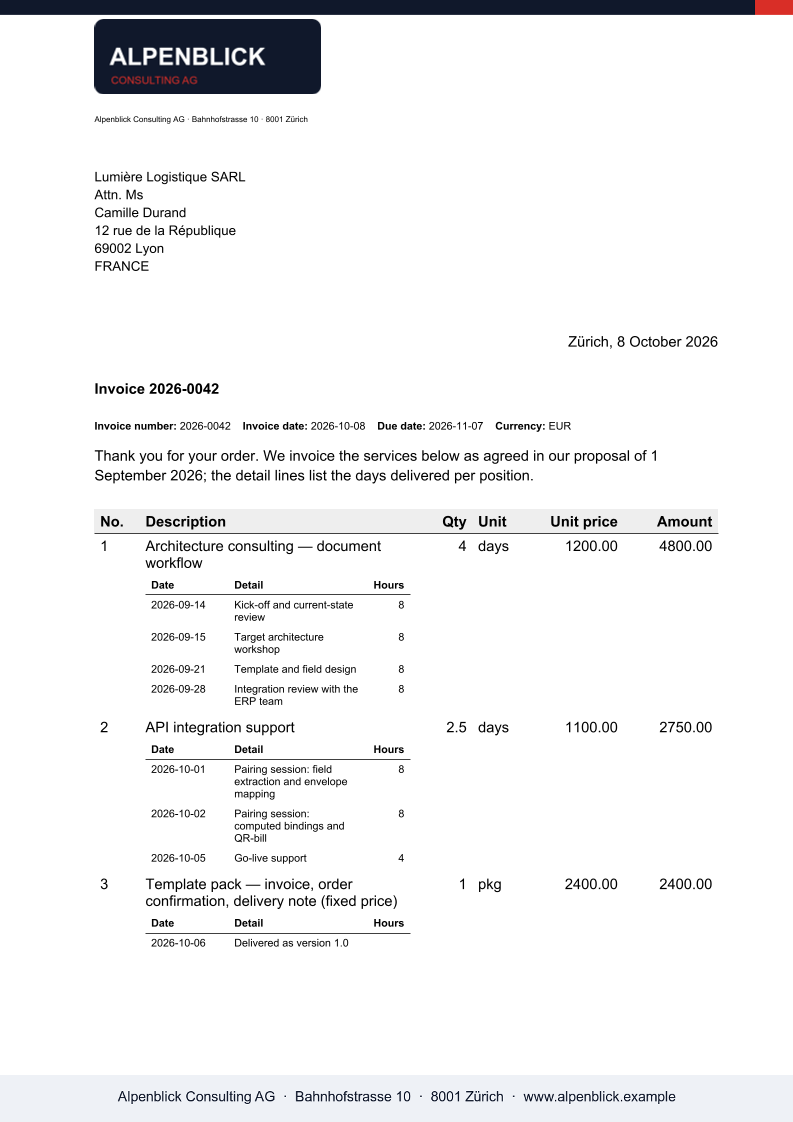
Three ways in, one engine out. Fill a Word template with JSON for documents that must look exactly like the original; send an HTML body when the layout lives in your app; send Markdown, optionally onto a letterhead, for text your system writes. Each call returns the finished PDF.
Why a generation API instead of a PDF library
- A PDF library makes layout a programming task; a Word template leaves it with the people who own the document.
- Headless browsers for HTML-to-PDF are heavy to run and drift between versions.
- Generated text, from a model or a workflow, needs a document around it: letterhead, fonts, page breaks.
The request
The first call fills a Word template from JSON; the second renders a raw HTML body, part html; the .NET sample sends Markdown over the JSON transport. All three accept format PDF or DOCX and an optional watermark.
TOKEN=$(curl -sS https://auth.xgenerate.io/realms/xgenerate/protocol/openid-connect/token \
  -d grant_type=client_credentials \
  -d client_id="$XGENERATE_CLIENT_ID" \
  -d client_secret="$XGENERATE_CLIENT_SECRET" | jq -r .access_token)

# 1. Word template + JSON → PDF
curl -sS https://api.xgenerate.io/v2/documents/generate \
  -H "Authorization: Bearer $TOKEN" \
  -F "file=@report.docx" \
  -F "fields=@fields.json;type=application/json" \
  -F "format=PDF" \
  -o report.pdf

# 2. HTML body → PDF
curl -sS https://api.xgenerate.io/v2/documents/generate-from-html \
  -H "Authorization: Bearer $TOKEN" \
  -F "html=@page.html;type=text/html" \
  -F "format=PDF" \
  -o page.pdf
From .NET
using System.Net.Http.Json;

using var http = new HttpClient();
http.DefaultRequestHeaders.Authorization = new("Bearer", token);

// 3. Markdown over the JSON transport: the text is the document.
var request = new
{
    filename = "summary.md",
    markdown = "# Quarterly summary\n\nRevenue grew by **12 %** against the previous quarter.\n",
    format = "PDF"
};
var response = await http.PostAsJsonAsync(
    "https://api.xgenerate.io/v2/documents/generate-from-markdown", request);
response.EnsureSuccessStatusCode();

var result = await response.Content.ReadFromJsonAsync<GenerateResult>();
await File.WriteAllBytesAsync(result!.Filename, Convert.FromBase64String(result.Content));

record GenerateResult(string Filename, string Content, string Format);
The response
Raw PDF bytes on the multipart transport, a JSON object with filename, content, format and warnings on the JSON transport. The Content-Disposition filename takes the resolved format's extension.
The output
What XGenerate does not do
HTML and Markdown bodies render through the Word engine, so complex CSS layouts and JavaScript are not interpreted; a Word template is the fidelity path.
Try it on your own template
Send us a Word file you use today. We render it with your data and return the PDF together with the adapted template, so your evaluation does not have to wait on us.
Request a demo